SSHアクセス時の警告
 kimi
kimi各種サーバーとして利用しているEpson Endevorへのログイン時に下記の警告が出ているのに気がつく。
27 additional security updates can be applied with ESM Apps.
Learn more about enabling ESM Apps service at https://ubuntu.com/esm
pro attachを実行してみた。
02:07 午後 kimi@endeavor-na601e:~
$ sudo pro attach ******************************
Enabling default service esm-apps
Updating Ubuntu Pro: ESM Apps package lists
Ubuntu Pro: ESM Apps enabled
Enabling default service esm-infra
Updating Ubuntu Pro: ESM Infra package lists
Ubuntu Pro: ESM Infra enabled
Updating 'livepatch' on changed directives.
Disabling Livepatch prior to re-attach with new token
Canonical Livepatch enabled
This machine is now attached to 'Ubuntu Pro - free personal subscription'

SERVICE          ENTITLED  STATUS       DESCRIPTION
anbox-cloud      yes       disabled     Scalable Android in the cloud
esm-apps         yes       enabled      Expanded Security Maintenance for Applications
esm-infra        yes       enabled      Expanded Security Maintenance for Infrastructure
fips-preview     yes       disabled     Preview of FIPS crypto packages undergoing certification with NIST
fips-updates     yes       disabled     FIPS compliant crypto packages with stable security updates
livepatch        yes       enabled      Canonical Livepatch service
realtime-kernel* yes       disabled     Ubuntu kernel with PREEMPT_RT patches integrated
usg              yes       disabled     Security compliance and audit tools

 * Service has variants

NOTICES
Operation in progress: pro attach

For a list of all Ubuntu Pro services and variants, run 'pro status --all'
Enable services with: pro enable <service>

     Account: **********@****.***
Subscription: Ubuntu Pro - free personal subscription
apt update時にesm.ubuntu.comから何かを取得しているね。
$ sudo apt update
取得:1 http://security.ubuntu.com/ubuntu jammy-security InRelease [110 kB]
ヒット:2 http://jp.archive.ubuntu.com/ubuntu jammy InRelease
取得:3 http://jp.archive.ubuntu.com/ubuntu jammy-updates InRelease [119 kB]
取得:4 https://esm.ubuntu.com/apps/ubuntu jammy-apps-security InRelease [7,553 B]
取得:5 https://esm.ubuntu.com/apps/ubuntu jammy-apps-updates InRelease [7,456 B]
取得:6 https://esm.ubuntu.com/infra/ubuntu jammy-infra-security InRelease [7,450 B]
取得:7 https://esm.ubuntu.com/infra/ubuntu jammy-infra-updates InRelease [7,449 B]
ヒット:8 http://jp.archive.ubuntu.com/ubuntu jammy-backports InRelease
259 kB を 3秒 で取得しました (90.8 kB/s)
パッケージリストを読み込んでいます... 完了
依存関係ツリーを作成しています... 完了
状態情報を読み取っています... 完了
パッケージはすべて最新です。
上部のメニューバーの盾?に緑のチェックマークがついた。
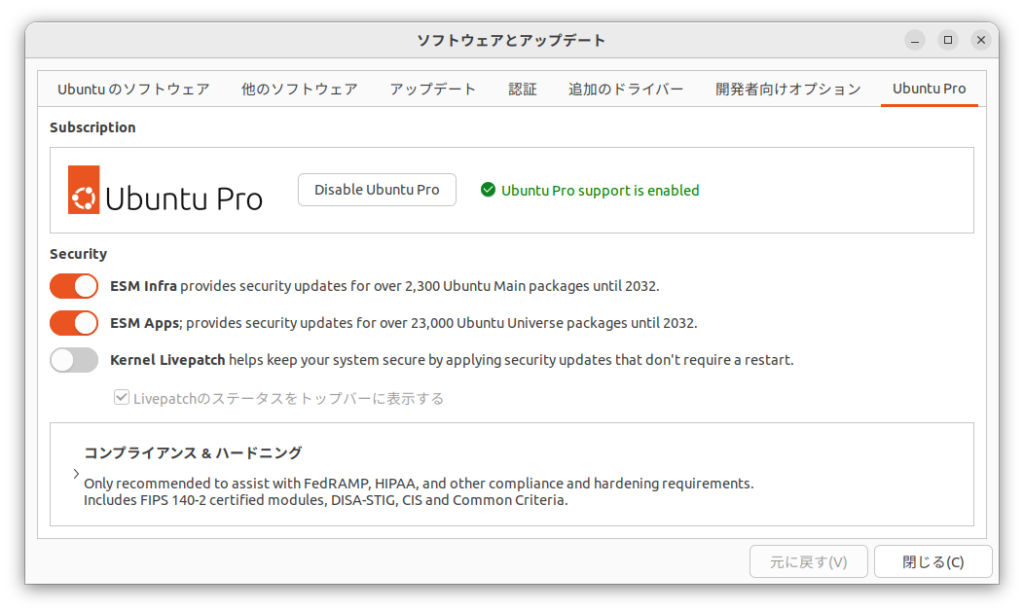
これは別のPCのスクリーンショットだけど…

このマシンはKernel Livepatchが有効でないな…
有効にして、パスワードを入力するが、有効化できませんでしたと…
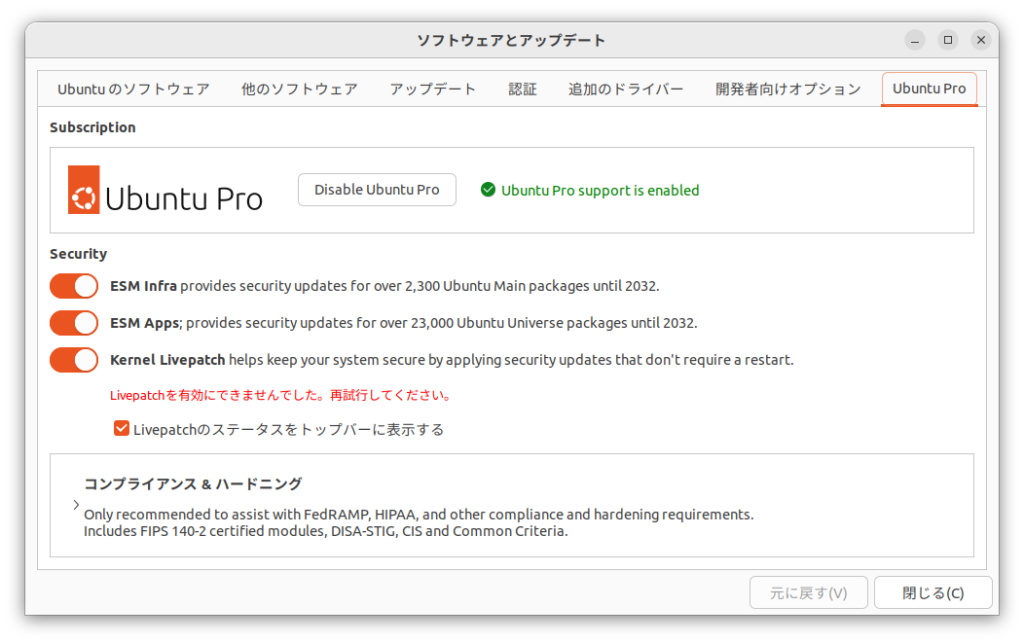
さて、どうするかな?